Getting started
Avero Companion is the front-of-house app that runs on a paired device at the venue. Staff use it on the floor to check in guests, seat parties, run reservations, take and pay checks, and — for managers and admins — review the day and govern access. It talks to the same Avero backend as the web admin, so everything stays in sync.
Most floor actions keep working offline and sync when the connection returns. Availability- and money-sensitive actions (booking or editing a reservation, deposits, the Admin tile) are online-only and say so on screen.
New device? Start with Get the app to pair it and pick its location — pairing is a one-time step per device, done with a QR code or a short code minted by an admin. Everything below assumes the device is already paired.
Pick your name — "Who's working?"
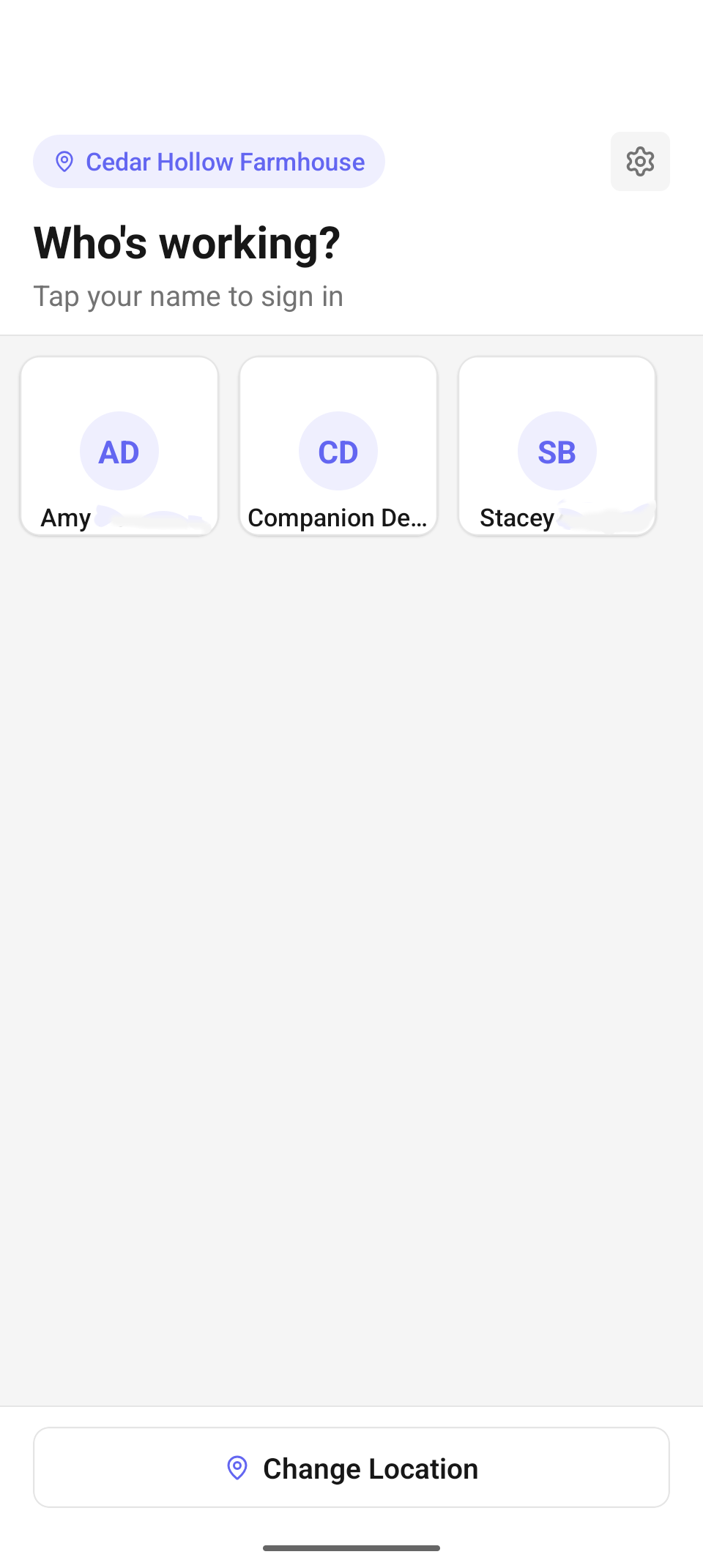
The Who's working? screen — every staff member assigned to this location, one card each.
A paired device that nobody is signed into shows the Who's working? screen — "Tap your name to sign in". It is the shared front door for the whole team:
- The pill at the top left shows the device's active location (for example Cedar Hollow Farmhouse); the gear button at the top right opens Settings without signing in, for device-level tasks like the reader or printer.
- Below, every staff member assigned to this location appears as a card with their initials and name. Tap your card to go to the PIN pad.
- The Change Location button at the bottom switches which venue the device operates at (see Choose the device's location below).
If the list is empty, the screen says "No staff assigned to this location." with the hint "Ask your admin to assign staff or change location." — staff assignments are managed in the web admin (or the Admin tile). If the list fails to load, the error is shown with a Retry button.
Sign in with your PIN
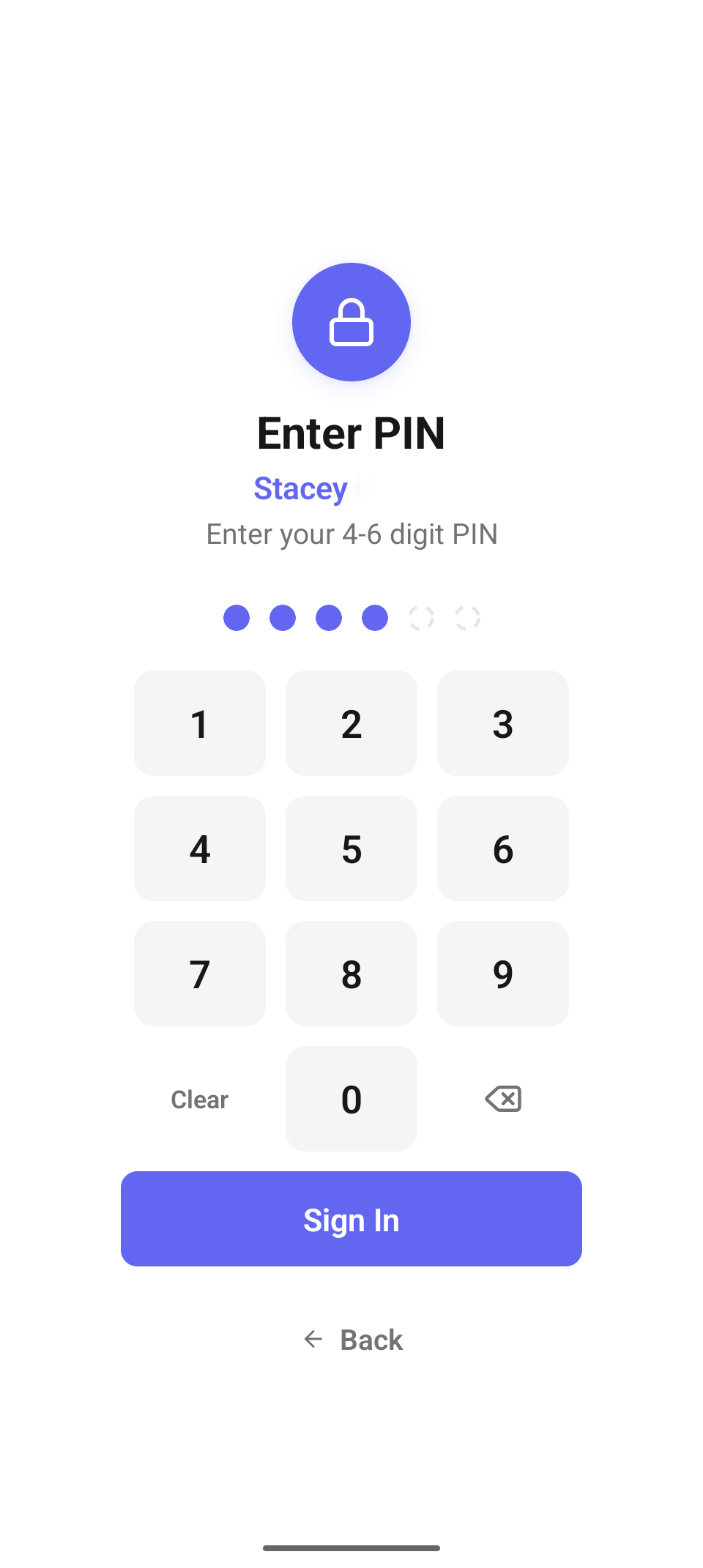
The Enter PIN pad — four to six digits, then Sign In.
Tapping your name opens the Enter PIN pad with your name under the lock icon and the prompt "Enter your 4-6 digit PIN":
- Type your PIN on the keypad. Each digit fills a dot — the first four dots are solid rings (required), the last two are faint (only used if your PIN is 5 or 6 digits).
- Use Clear to start over or the backspace key to remove one digit.
- Tap Sign In. A wrong PIN shows an error and clears the entry so you can retry.
- Back returns to the staff picker if you tapped the wrong name.
Your PIN is set by an admin (web admin or the Admin tile's staff directory). What you can see and do after signing in is determined by your role — see Home dashboard for exactly which tiles appear for whom.
Signing in lands you on the home dashboard, and the app silently auto-connects the device's built-in reader in the background so you can take payments with no setup — Tap to Pay on an NFC phone, the on-device reader on a Stripe smart reader, which the app detects on its own. Separate Bluetooth and networked readers are chosen in Settings → Reader, which is also where the automatic choice can be overridden.
Choose the device's location
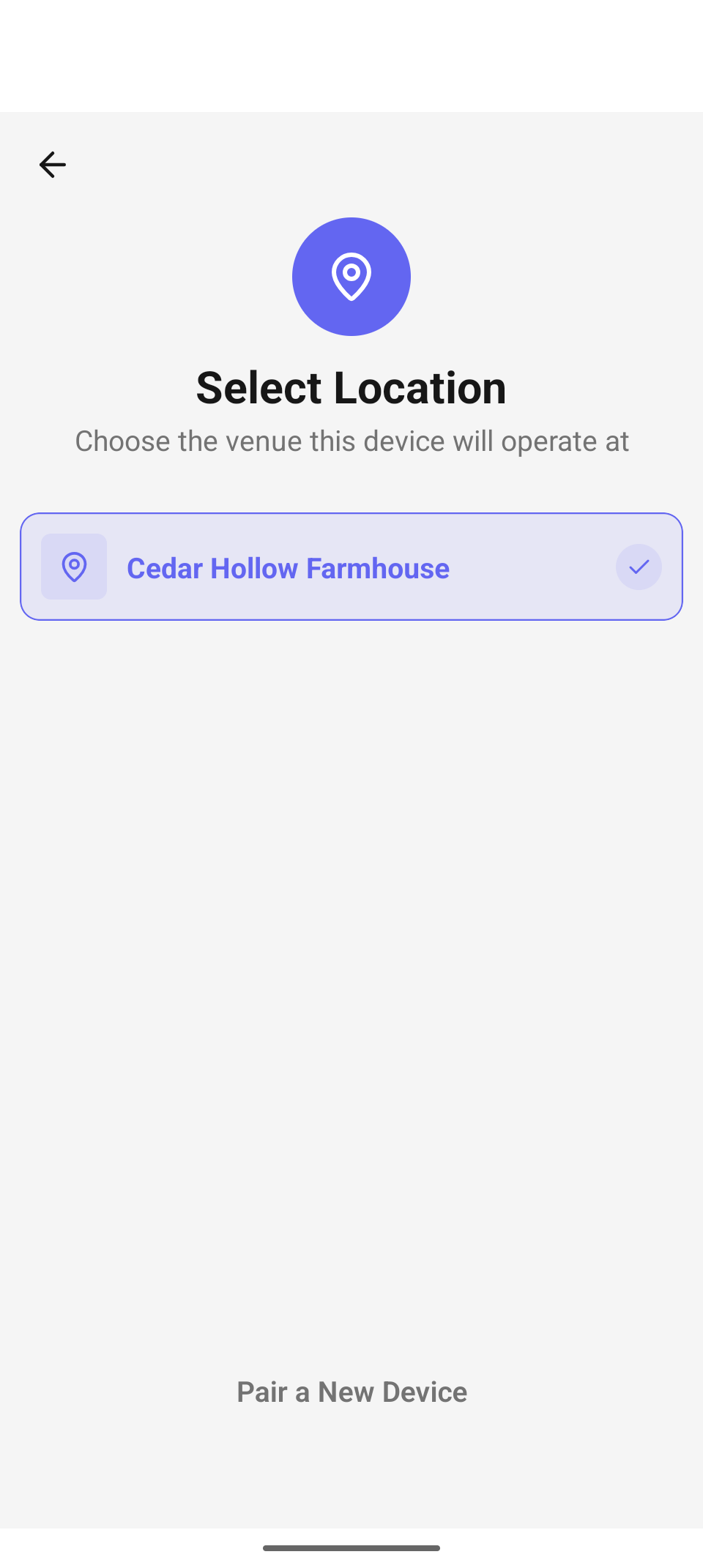
Select Location — "Choose the venue this device will operate at." The active venue is checked.
The Select Location screen ("Choose the venue this device will operate at") lists every venue in your company, with a check on the active one. It appears the first time a device is paired, and any time you tap Change Location on the Who's working? screen or change Settings → Current Location.
Picking a location scopes everything operational — Tables, Reservations, Check-In, Orders, Events — to that venue. (The Admin tile is the exception: it always works company-wide.) The Pair a New Device link at the bottom jumps to the pairing flow described in Get the app.
Switch user mid-shift
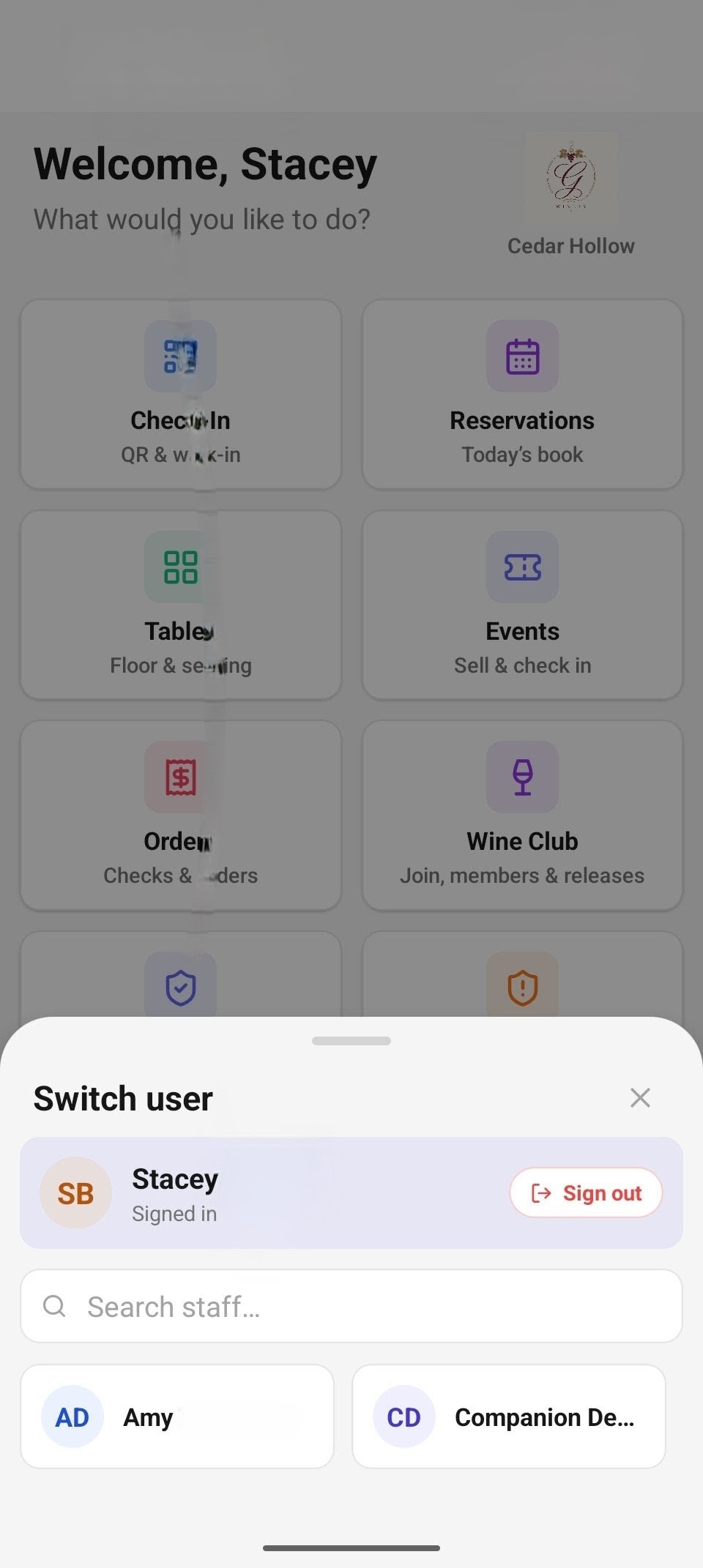
The Switch user sheet — who's signed in, a sign-out button, and the rest of the team.
Companion devices are shared, so you don't sign out between hand-offs — you switch. Tap Switch User at the bottom of the dashboard:
- The Switch user sheet slides up. The top row shows who is currently signed in ("Signed in") with a red Sign out button — signing out ends the session and returns the device to Who's working?.
- Below is a "Search staff…" box and a card grid of everyone else assigned to this location. Tap a name.
- Enter that person's PIN ("Enter PIN to switch" — dots fill as on the sign-in pad) and tap Go. A wrong PIN shows "Invalid PIN. Please try again."
The device and location stay the same — only the signed-in operator changes. No re-pairing, no full sign-out.
Working offline
When the network drops, a banner reads "Operating offline — running as host backup" and the app keeps working from the last sync. Floor and check-in actions you take — seating, table status, checking a reservation into the queue, no-shows, cancels, event-ticket check-ins — are queued (the banner counts them, e.g. "· 3 queued", and affected rows show a Queued badge) and replay automatically once you're back online: "Back online — syncing 3 queued actions…".
Actions that can't be queued safely are disabled while offline and tell you why — for example the New reservation button, editing a reservation ("You're offline — editing needs a connection."), the waitlist, and deposits. The Admin tile is online-only end to end.
Settings
The Settings tile covers the device itself: your Profile and Current Location; the Terminal Reader and Reader Configuration (see card-reader setup in Orders & payment); the Receipt printer this device prints to; OTA Update info; and the End Session and Unpair Device actions. When an app update downloads in the background, a banner announces "A new version is ready." with a Restart button.
Troubleshooting
- "No staff assigned to this location." — the device's location has no staff assigned. An admin assigns staff in the web admin or the Admin tile; or tap Change Location if the device is set to the wrong venue.
- Wrong PIN — the pad shows the error and clears so you can retry. PINs are 4-6 digits, set per staff member by an admin; there's no self-service reset on the device.
- The staff list won't load — the error is shown with a Retry button; check the connection (the staff list needs one on first load).
- "Invalid PIN. Please try again." on the Switch user sheet — same as a wrong sign-in PIN; re-enter or pick the right name.
Related
- Get the app — pair a new device and pick its location.
- Home dashboard — the tiles, who sees which, and switching user.
- Check-In — the first thing most shifts open.