Admin tile
The Admin tile is the governance hub — for owners and admins to manage who can use the app, on what device, and to glance at how each location is doing. It's separate from the Manager tile (this-location reporting): as its banner says, Admin is "Company-wide across all locations. Sensitive actions are audited; online-only."
Who sees it, and unlocking it
The Admin tile appears on the dashboard only for staff signed in as a company admin — everyone else never sees it. Opening it mounts the screen locked: a PIN pad slides up — "Admin · Re-enter your PIN" — and no admin content renders until the unlock succeeds. Closing the pad backs out of the screen entirely.
- A wrong PIN keeps the pad open with the server's message; being offline gets "Could not verify your PIN. Check your connection and try again." — Admin is online-only by design, with no cached fallback.
- Every unlock and every admin action lands in the activity feed, attributed to you ("Admin unlocked").
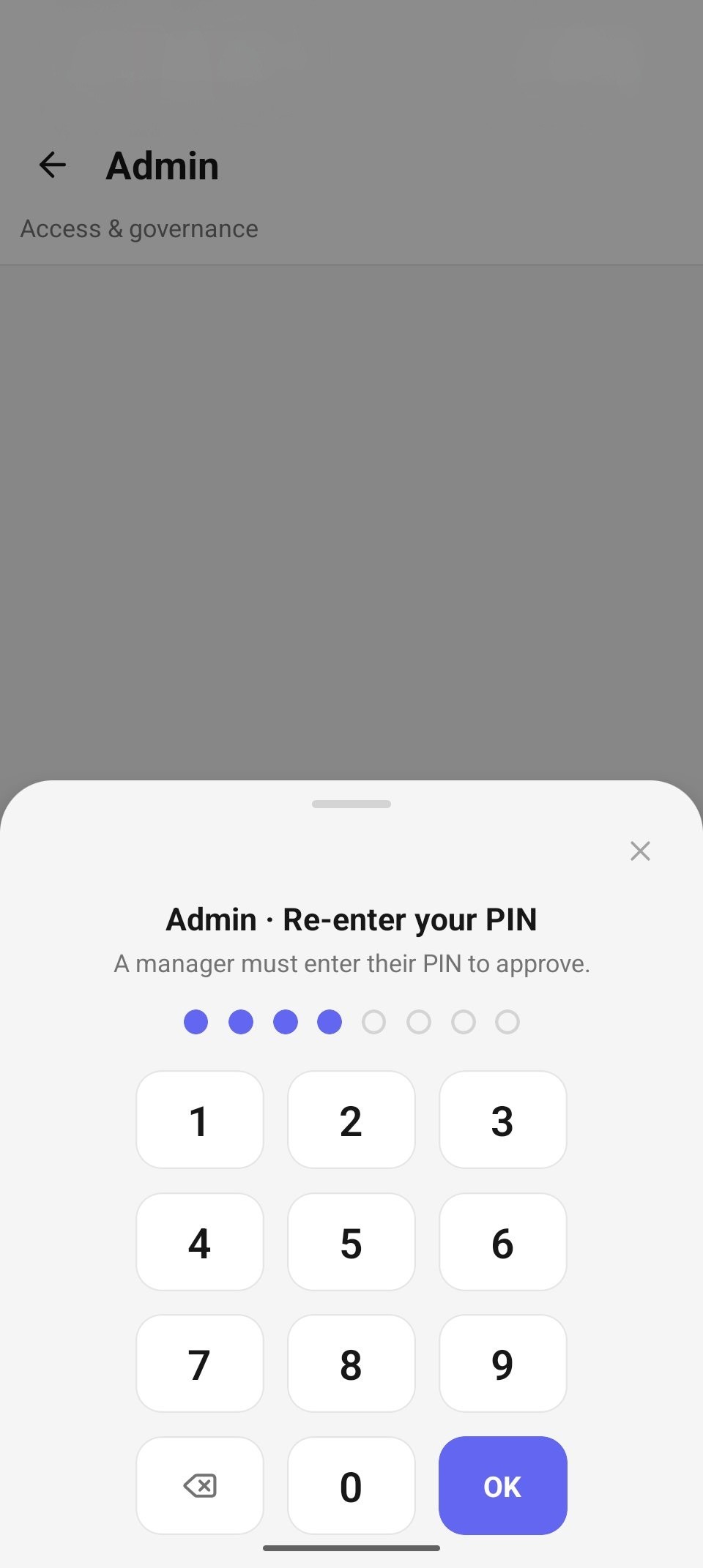
The PIN re-entry pad over the locked Admin screen.
From the Admin home you reach the four sections: Staff ("Invite, deactivate, roles"), Devices ("Enroll, revoke, last seen"), By location ("Sales & cash per venue"), and Activity ("Comps · voids · refunds · access").
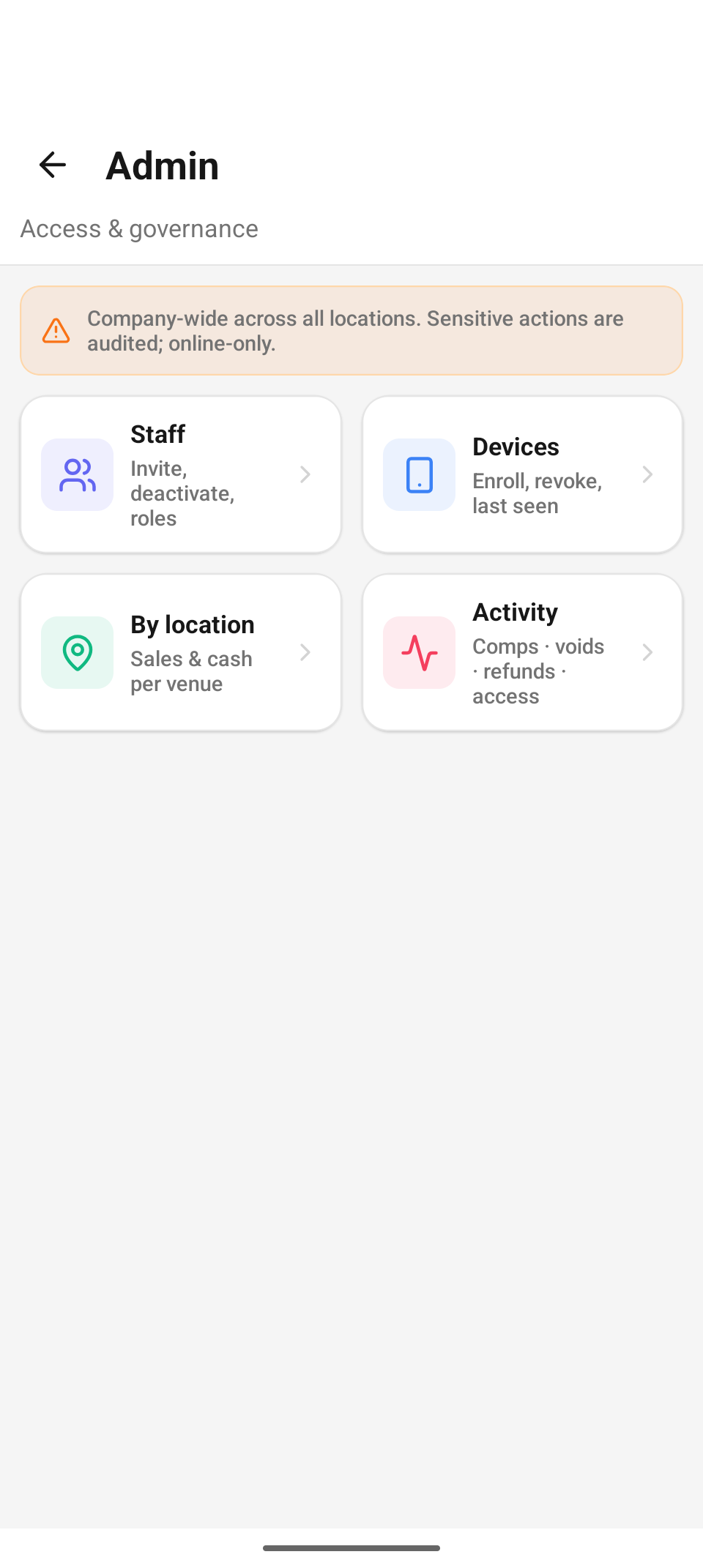
Admin home — the warning band and the four section cards.
Staff
A company-wide directory of everyone on your team, searchable by name, email, or username (the search field is fixed above the list, so the keyboard never hides it). Each row shows an avatar, name (with "· you" on your own row), email, a role chip, and an Active / Pending / Disabled status chip. The inline action matches the row's state:
- Active → Deactivate — opens a confirm sheet: "<name> will lose access. This is audited and can be undone by reactivating them." with an optional audit reason ("e.g. left the company").
- Pending → Resend — re-emails the invite: "A new invite was emailed to <email>."
- Disabled → Reactivate — restores access immediately.
Invite staff (the footer button) asks for name, email, and a role picked from your role list ("No roles available. Roles must load before you can invite."). The invitee gets an email and shows as Pending until they activate.
Guardrails: the Deactivate button is disabled on your own row (and the server refuses it anyway), and the server won't let the last admin be removed from the company.
Editing roles and resetting PINs are handled in the web admin for now.
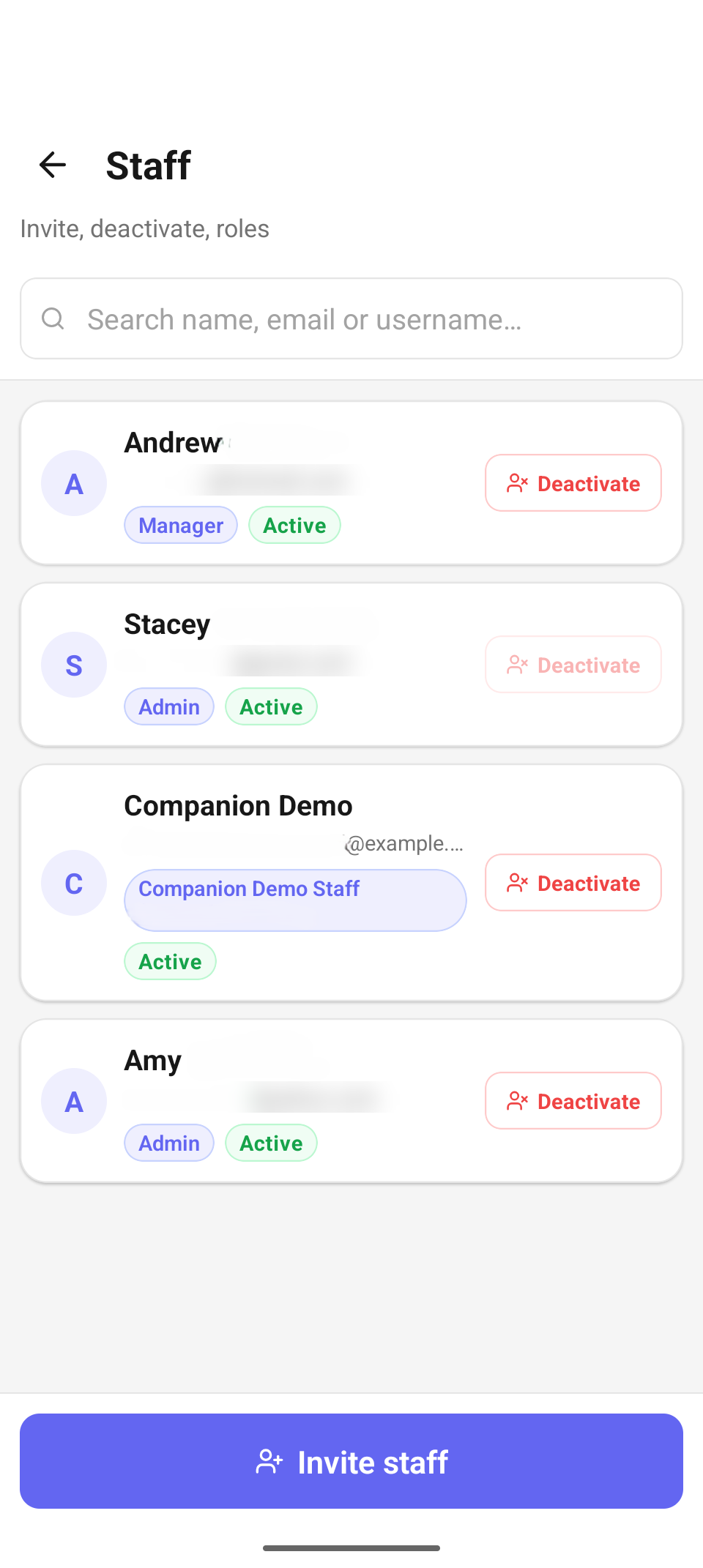
Staff — status chips, per-row actions, and the Invite staff footer.
Devices
Every paired device across all your locations, grouped by venue (devices with no location fall under "Unassigned", listed last), each with a relative last seen ("5m ago", "3h ago", "2d ago", "Never seen").
- Revoke a lost or retired device — "Revoke this device? It will be signed out immediately." — the strongest security action in the app. Revoked devices stay in the list, muted and tagged Revoked.
- The device you're holding is flagged "This device" and has no revoke button — you can't lock yourself out mid-session.
- Enroll a new device (the footer button) jumps to enroll-by-QR, below.
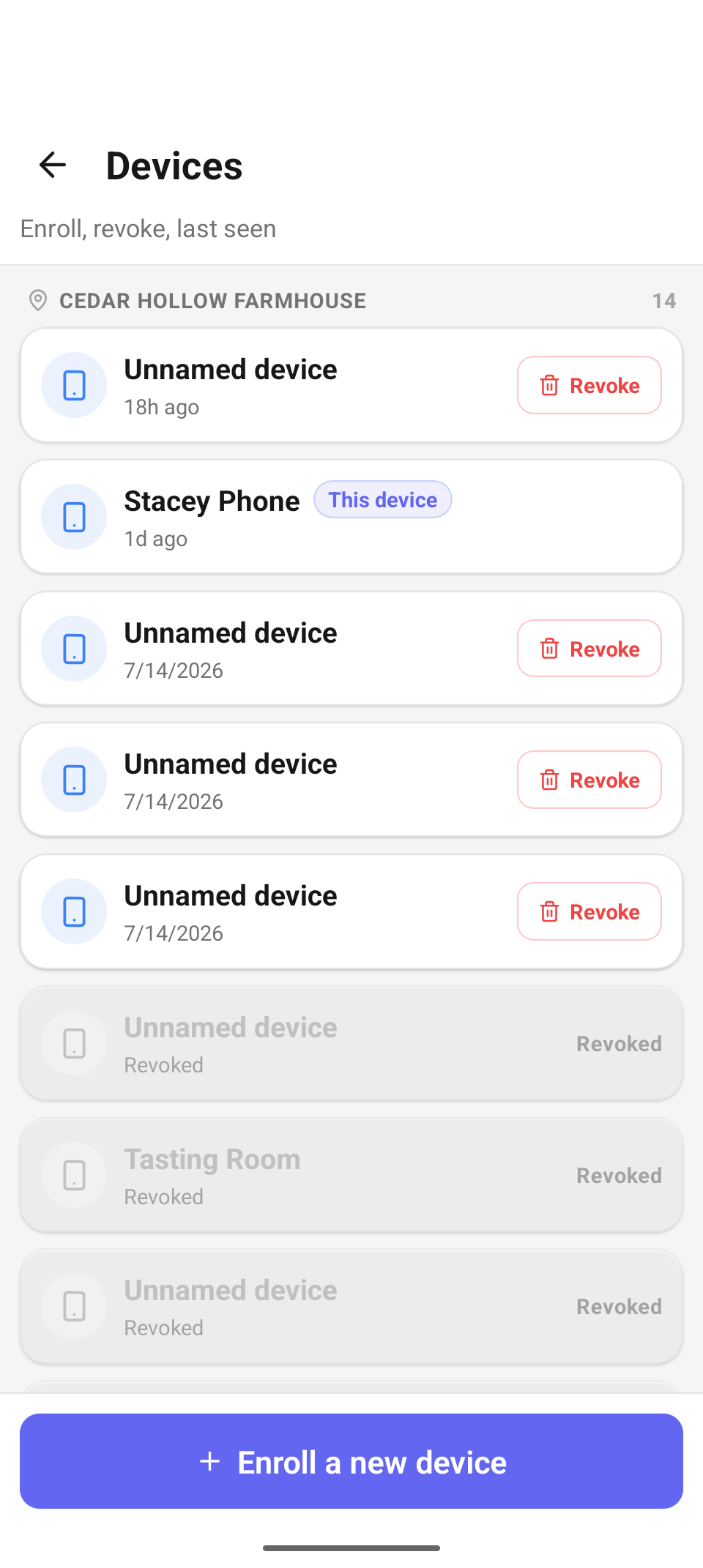
Devices — grouped by location, with the "This device" pill and per-row Revoke.
Enroll a new device (present a QR)
If a device fails during service, bring a replacement online without finding a laptop:
- Tap Enroll a new device. The instruction band spells out the other half: "On the new device: open Avero → Pair device → scan this code."
- Pick the location the new device should join from the chips (your current location is preselected; picking a different one mints a fresh code).
- The screen renders a pairing QR ("Enrolling into Cedar Hollow Farmhouse") with a live countdown — "Expires in 9:42" — flipping to "Expired — regenerate to continue" at zero. The rule beneath it: "Single-use. Each device needs its own code."
- The plaintext pairing code is shown under the QR for manual entry, and Regenerate mints a new one at any time.
- The new device scans the QR from its own Pair Device screen and joins the chosen location, ready for staff sign-in.
The QR embeds the company, the pairing code, and the server address — the same payload the first-time pairing flow accepts, so the replacement device needs no other setup.
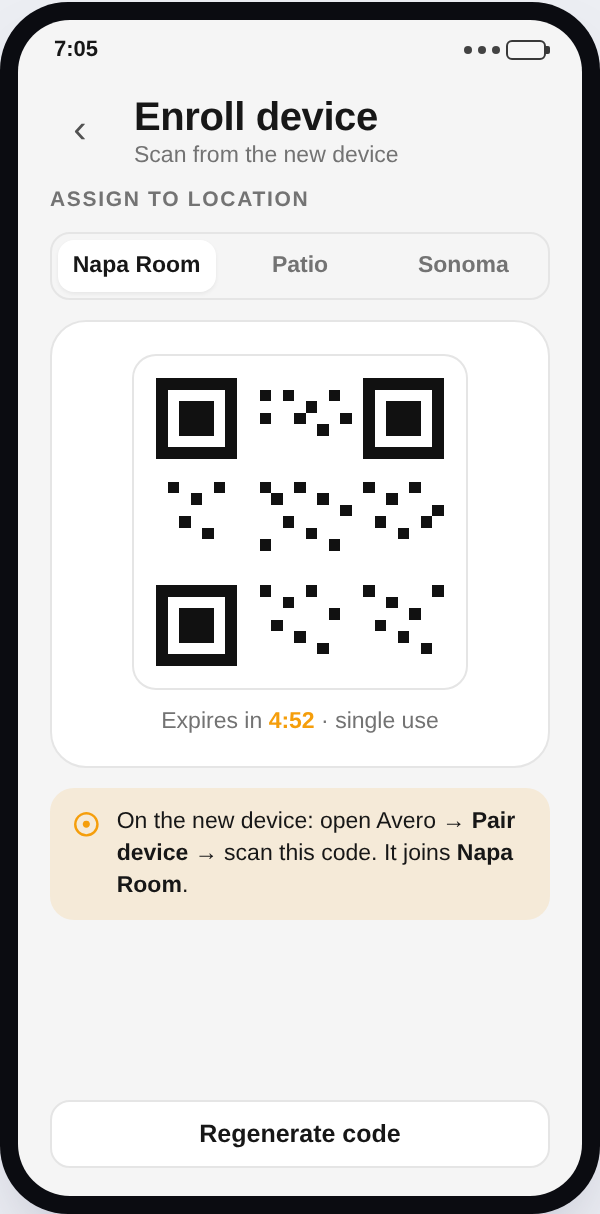
Enroll device — location chips, the minted QR with countdown, and the plaintext code.
Reporting by location
A company-wide view of the day, broken down per venue — the picture the Manager tile (single location) doesn't give you.
- A day stepper at the top starts on Today; step back through previous days freely — the forward arrow disables at today (no future days to report on).
- COMPANY TOTAL — a Net sales headline with cash and check counts.
- VENUES — one card per location: net sales, a share bar whose width is that venue's percentage of company net, and "cash · checks" beneath. Tap a venue to expand its numbers inline (Net sales / Cash / Checks / Share of net) — nothing navigates away; it stays a clean read-only summary.
- A day with no sales reads simply "No sales for this day."
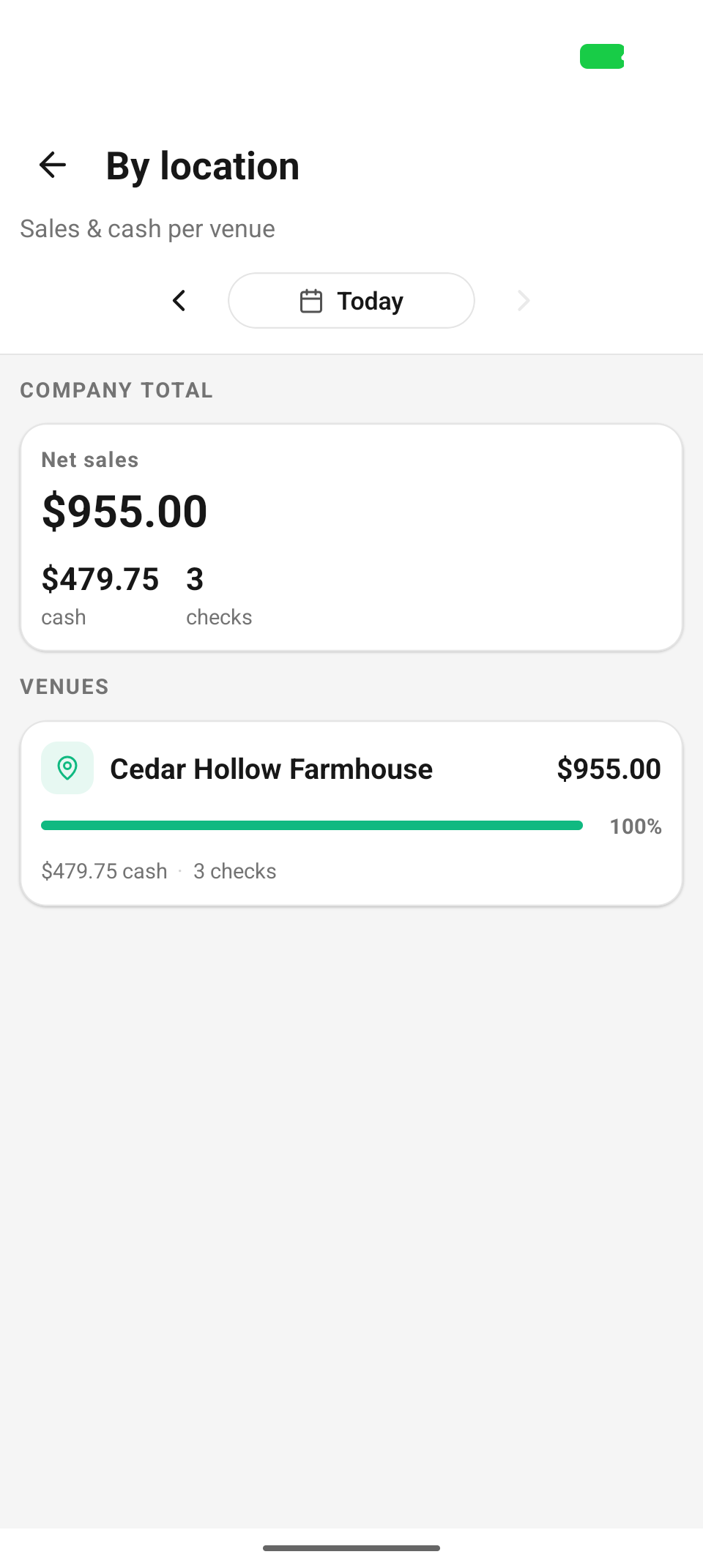
By location — the company total and per-venue share bars.
Activity feed
One company-wide stream of the sensitive actions across every location, read straight from the audit log and grouped by day (Today, Yesterday, then dates), newest first. Two chip rows filter it:
- Range: Yesterday + Today (the default), 7 days, 30 days.
- Category: All, Money, Access.
Each row shows a precise label — "Comp / discount", "Comp pending approval", "Comp removed", "Void", "Refund", "Refund failed", "Manual refund", "Deposit waived", "Deposit changed", "Deposit forfeited", "Device revoked", "Enroll code created", "Staff deactivated", "Staff reactivated", "Admin unlocked" — plus who did it, where, when, the amount (shown only when it's a real positive amount — a $0 waive isn't rendered as noise), and the recorded reason in quotes. Admin actions you take in this tile appear here too, attributed to you.
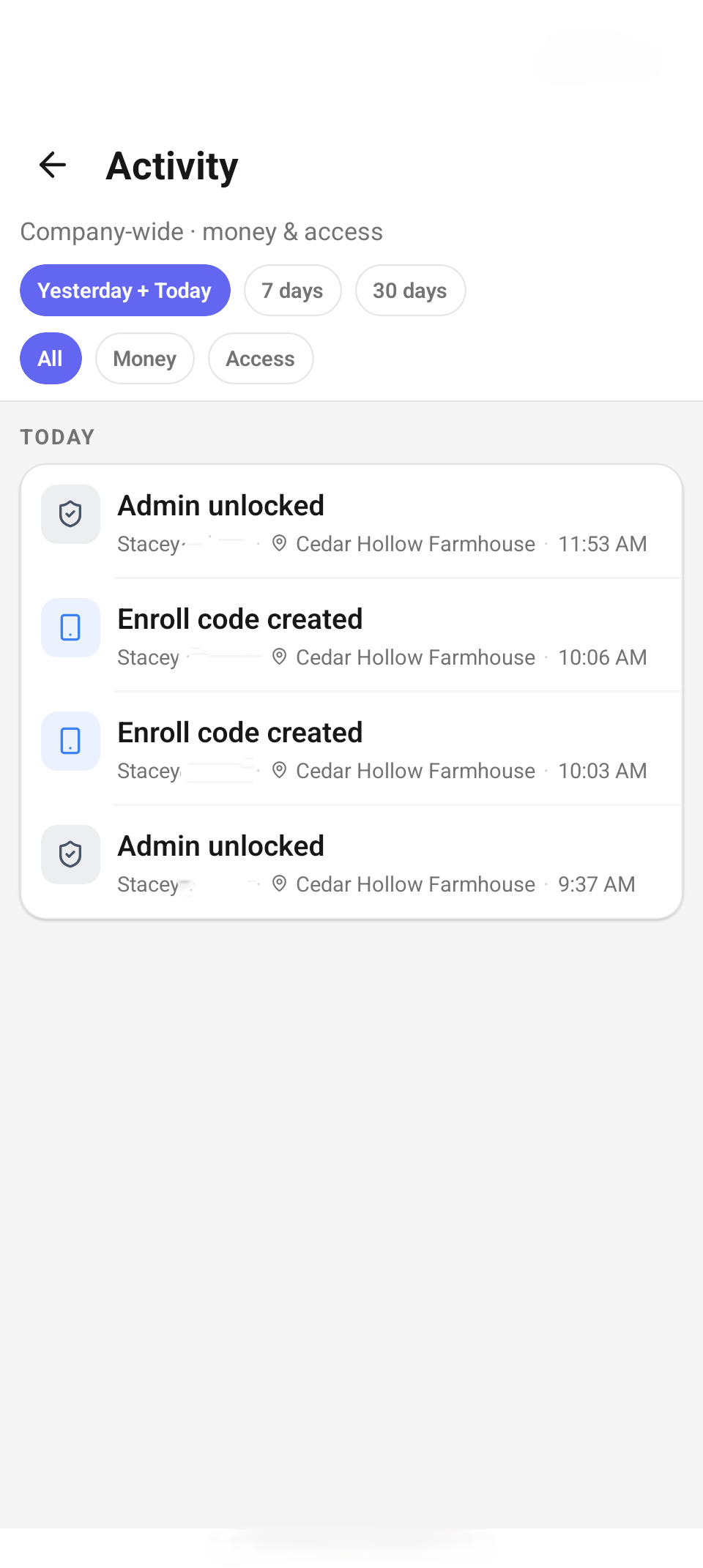
Activity — range and category chips over the day-grouped feed.
Troubleshooting
| You see | It means / do this |
|---|---|
| "Could not verify your PIN. Check your connection and try again." | Admin is online-only. Get the device back online, then re-enter the PIN. |
| "Could not load staff. Admin is online-only — check your connection…" | Same rule for every sub-screen — each read has a Retry button. |
| "Couldn't deactivate" | Usually a server guard: you can't deactivate yourself, or this would remove the last admin. |
| "Expired — regenerate to continue" | Pairing codes are short-lived and single-use. Tap Regenerate and rescan. |
Related
- Get the app — first-time pairing from the web admin.
- Manager tile — this-location reporting and approvals.
- Invite your team — roles, permissions, and PINs in the web admin.