Orders
The Orders tile is the Companion POS — the single home for a sale from first pour to settled order. Two tabs split the lifecycle:
- Open — working checks (open and sent-to-kitchen) that a server is still acting on. Tapping one reopens the catalog so you can keep adding items.
- Completed — paid orders from the last 24 hours. Tapping one opens the order detail for receipts and refunds.
Above the tabs sit a search box ("Search guest, check/order #, table…"), a QR button that jumps to Check-In's ticket scanner, and the + button that starts a new order. On the Open tab search filters as you type (by party name or check number); on the Completed tab, submit the search to run it against the order history.
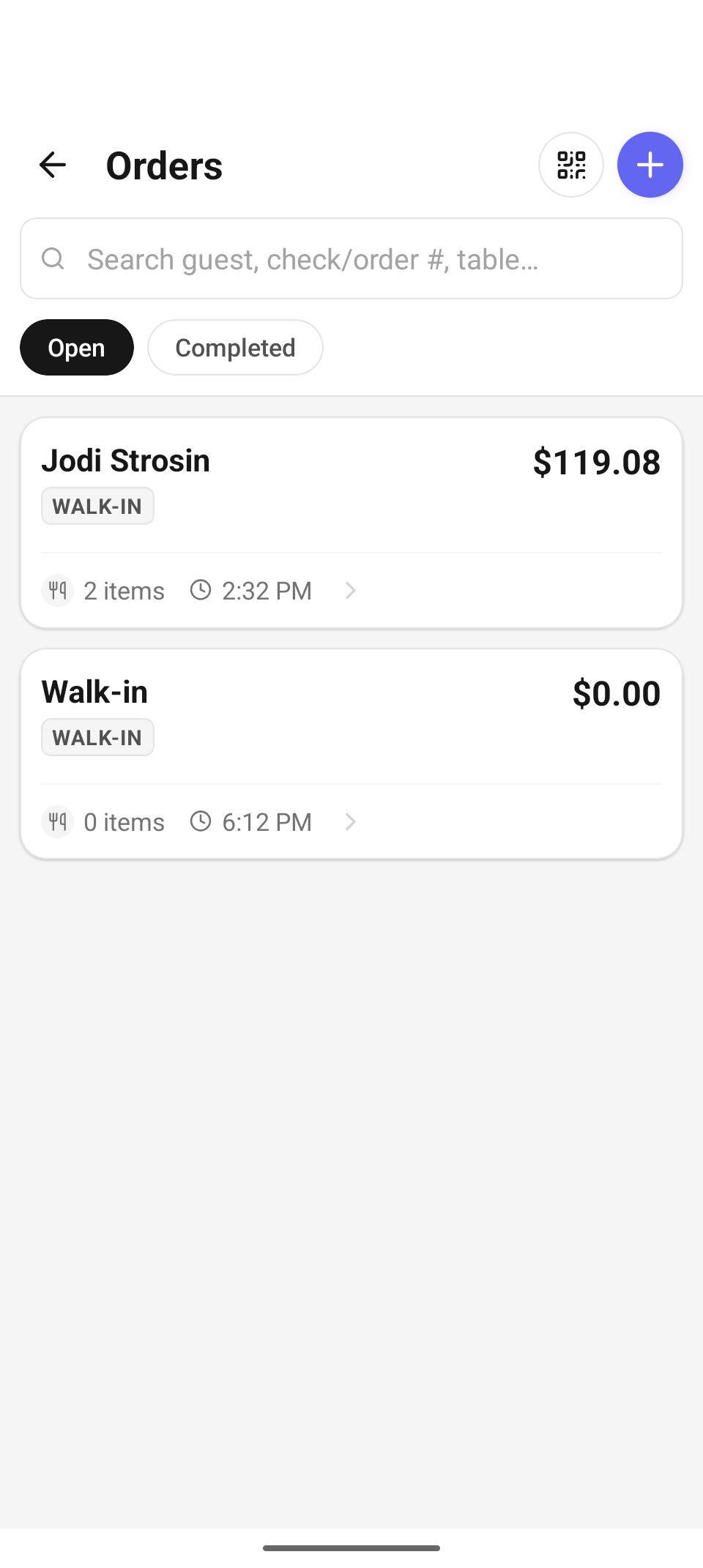
Orders — the Open tab. Each card shows the party, a type badge, the check number, total, item count, and when it was opened.
Each open-check card carries a type badge — Walk-in, Reservation, Retail, or Concierge — so you can tell a tasting-room walk-in from a booked party at a glance. If the device is offline, the Open tab shows "Offline — showing the last synced checks." and keeps working from cache; pull down to refresh once you're back.
You don't have to start from this screen. Seating a table on the Floor plan opens a check against that table, and the same catalog screen appears — everything below applies either way.
Start a new order
Tap +. The Companion opens a fresh check and lands on New Order — the menu:
- Category chips across the top (built from your catalog's categories, plus All) and a "Search the menu…" box.
- Product cards with name and price. Tap a card to add one; a count badge appears on the card for items already in the cart.
- Stock pills: tracked products show a small colored dot (green = in stock, amber = low, red = out). Low-stock items also carry a Low stock pill; sold-out items show Out of stock, grey out, and can't be added ("2021 Malbec is out of stock and can't be added."). If stock runs out between loading the menu and your tap, the server blocks the add and the card flips to sold-out.
- Press and hold any product for the read-only inventory quick view: the product photo, its stock status, sellable / on-hand totals, and a per-location breakdown ("Not tracked for inventory — sells normally." for untracked items).
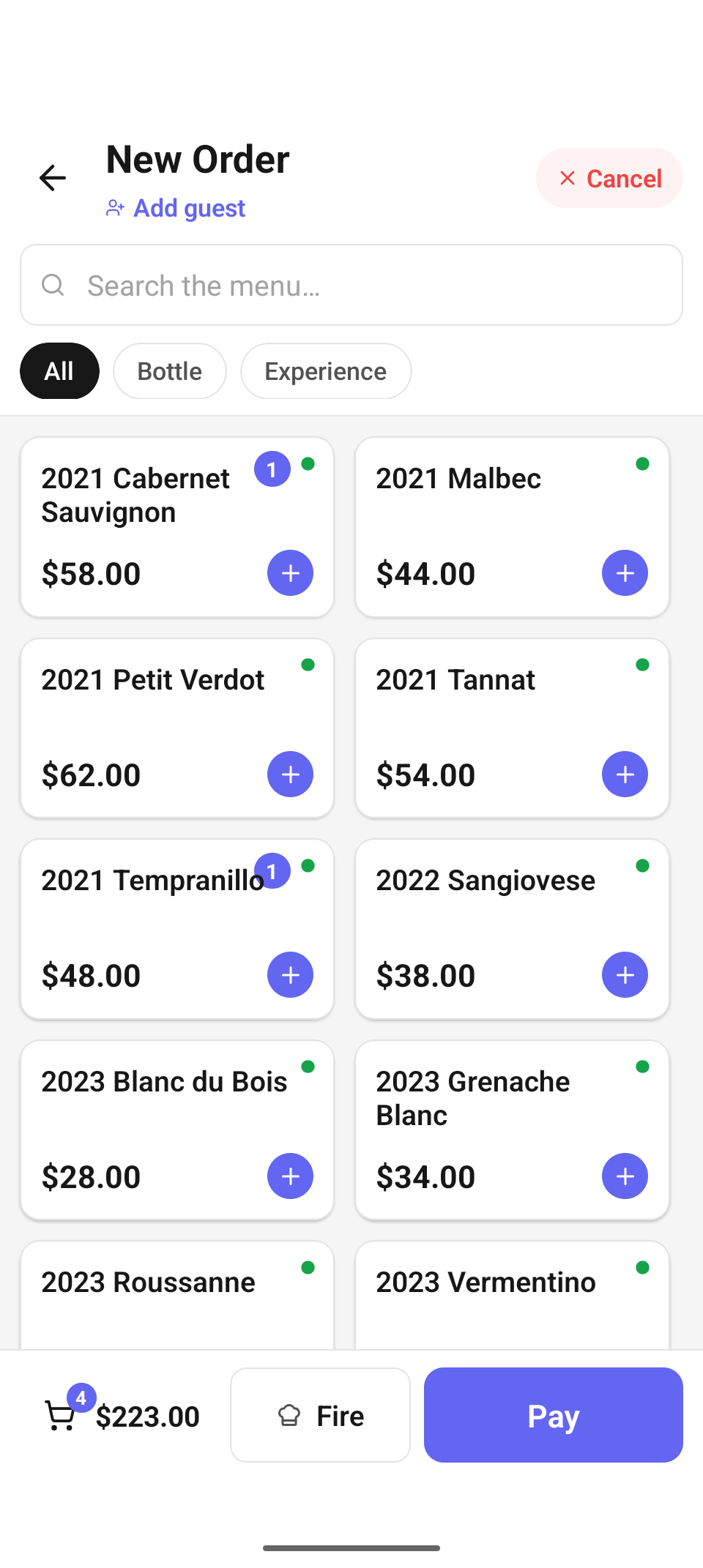
New Order — catalog with items in the cart. The bottom bar carries the cart chip, Fire, and Pay.
Event tickets don't appear in this grid — they're sold through the Events tile's Sell Tickets flow, which prices per ticket type.
The cart
The bottom bar shows the cart chip (item count + running total), Fire, and Pay. Tap the cart chip to open the Order sheet:
- Adjust quantities with the steppers — the minus button becomes a trash can at quantity 1.
- Tap a line to add Special instructions ("Allergies, additions, omissions…"). Notes ride along to the kitchen with the fired ticket.
- Add guest (under the title) attaches a CRM guest to the check — search by name, email, or phone. Once attached it becomes Change guest. Attaching a guest is what enables Card on File at payment and skips ID scanning for age-verified regulars.
- The red Cancel button abandons the whole order: "This clears the cart and releases any held stock. This can't be undone." (An empty cart just closes quietly.)
Alcohol on a walk-in check
Adding alcohol to a check with no age-verified guest prompts "Age verification required" — "Confirm the guest is of legal drinking age (21+) to add alcohol to this order." Tap Confirm 21+ to record the confirmation and add the item. If your role can't approve alcohol, you'll see "A manager must approve alcohol for this order. Switch to a manager and try again." Either way, the payment-time Verify ID gate is the real backstop.
Fire to the kitchen
Fire sends the check's not-yet-fired kitchen items. The status line above the buttons reports the result — "2 item(s) sent to kitchen", or "No new kitchen items to fire" when everything already went. Two server-driven checks can interrupt:
- "Allergy items on this order" — the order has allergy-flagged notes; tap Confirm & Send to proceed.
- "Choose a kitchen printer" — the table's surface has no primary printer available. Pick one from the list, or — when no kitchen printer is set up at all — tap Mark fired without printing and hand-carry the ticket ("Ask a manager to add one in Settings → Printers").
Repeated taps are safe: each fire attempt is idempotent, so confirming allergies or picking a printer retries the same fire rather than sending the items twice.
The check detail
Tap Pay (or open a check and step through to it) to reach the check detail — an on-screen receipt with every active line, Subtotal, Discount (when one is applied), Tax, and Total. Long-press the party name to peek at the guest's CRM insight when the check is linked to a guest ("hold for guest info").
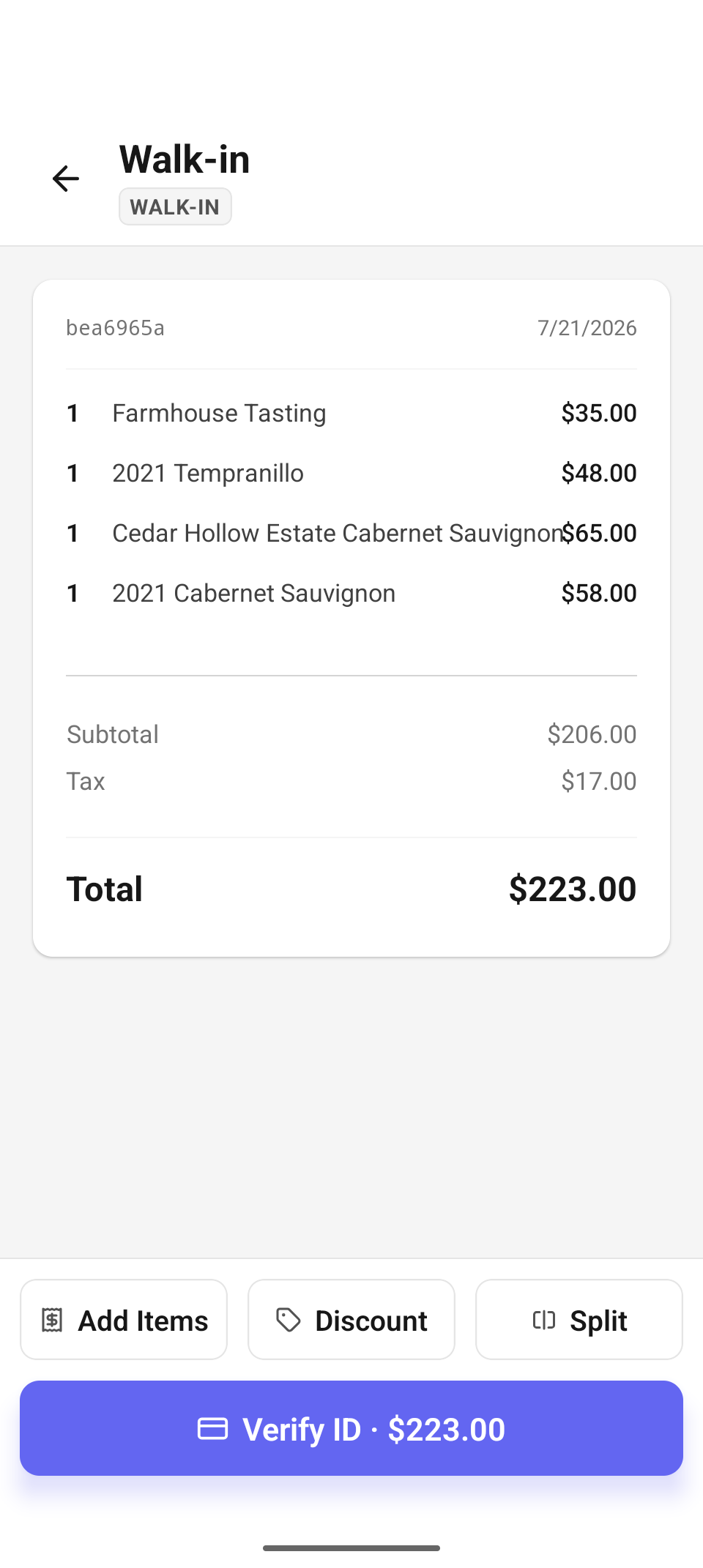
A walk-in check with alcohol on it: Add Items / Discount / Split above the charge button, which reads Verify ID · $223.00 until the age check clears.
Below the receipt sit three row buttons:
| Button | What it does |
|---|---|
| Add Items | Returns to the New Order catalog with this check loaded. |
| Discount | Opens the Discounts & Comps sheet — see Split & discounts. |
| Split | Opens Split Check — see Split & discounts. Only shown when the check has more than one line (or a multi-quantity line). |
The full-width charge button starts payment:
Charge $223.00— the normal path; continues to the tip screen.Verify ID · $223.00— shown instead when the check has an alcohol line and neither an age-eligible guest is attached nor a manager override is on record. Tapping it routes to the ID scanner first; payment resumes automatically once verification saves.
On a closed check the button becomes a disabled Paid (or Check Closed) marker.
Verify ID for alcohol
The Verify ID screen scans the PDF417 barcode on the back of the guest's license — assessment runs entirely on the device.
- Valid, 21+ — the screen flips to Verified 21+, matches the guest against the CRM (a matched guest's email/phone prefill), and offers optional Receipt contact fields with a consent checkbox ("Guest consents to storing their contact info for the receipt and future visits." — required only if you actually enter contact info). Save & Continue to Payment attaches the guest to the check and resumes payment at the tip screen.
- Underage — a hard stop: "Guest is under 21 — Alcohol cannot be sold to this guest." There is no override for this result, and once any scan in the session comes back underage the scan-free override entry point disappears too.
- Expired / unreadable — "ID expired — Ask for a current, unexpired ID and rescan." or "Couldn't read the ID". You can Scan Again, or a manager can record a Manager override after visually checking a valid physical ID — a reason is required, and "This is recorded on the check with your name."
A manager who already checked the guest's physical ID can skip scanning entirely: "ID checked in person — manager override" at the bottom of the scan screen opens the same reason-and-approve form. Both override paths require the checks.alcohol_override permission — without it: "A manager must approve alcohol for this check — have a manager sign in, then try again."
Refunds (Completed tab)
Open a paid order from Completed. The order detail shows the itemized receipt, a Receipt card with Print / Email / Text, and any prior refunds. Tap Refund:
- Enter the amount — the screen shows "Up to $X.XX refundable" — and an optional reason.
- Confirm: "Refund $20.00 to the original payment method? Any event tickets on this order will be voided."
If your role can't refund you'll see "A manager must approve refunds.", and per-day refund limits surface as "Refund limit reached". Fully refunded orders show a Fully refunded banner (and a REFUNDED badge back on the list).
Reference
| Control | Where | What it does |
|---|---|---|
| Open / Completed tabs | Orders | Working checks vs. paid orders (last 24 h). |
| Search box | Orders | Filter by guest, check/order #, or table. |
| + | Orders | Start a new order (opens a fresh check). |
| Cart chip | New Order | Open the Order sheet — quantities, notes, totals. |
| Add guest | New Order | Attach a CRM guest (enables Card on File; skips re-verification for regulars). |
| Cancel | New Order | Abandon the cart; releases held stock and reverses any gift-card tenders. |
| Fire | New Order | Send unfired kitchen items; may prompt for allergy confirm or a printer. |
| Add Items / Discount / Split | Check detail | Reopen the catalog / discounts sheet / split screen. |
| Charge / Verify ID | Check detail | Start payment — via the ID scanner first when alcohol is unverified. |
| Refund | Order detail | Partial or full refund to the original payment method. |
Troubleshooting
| You see | It means / do this |
|---|---|
| "Couldn't start the order" | The check couldn't be opened — usually connectivity. Try Again, or check the network. |
| "Offline — showing the last synced checks." | The Open tab is serving cached checks. They're readable; new activity syncs when you're back online. |
| "2021 Malbec is out of stock." | Stock ran out after the menu loaded. The card flips to sold-out; pick something else or check the inventory quick view. |
| "A manager must approve alcohol for this order." | Your role can't confirm 21+. Switch to a manager (or use the manager override on Verify ID). |
| "Guest is under 21" | Hard stop — alcohol cannot be sold, and no override exists for an underage scan. |
| "No new kitchen items to fire" | Everything on the check has already been fired — informational, not an error. |
| "Refund limit reached" | A per-day refund cap applies to your role. A manager can complete the refund. |
Related
- Payments — tip, payment methods, gift cards, and receipts.
- Split & discounts — splitting checks, promo codes, comps, and approvals.
- Floor & seating — open checks straight from a table.
- Take an order (POS) — the same flow on the staff web app.