Settings
Settings (/admin/settings — "Everything you can set up in
Avero, in one list.") is a searchable index, not a big form. Every
settings page is a row, sorted into eight groups; choosing a row opens the
page where the real configuration happens. A search box at the top filters
the rows as you type (press / to jump to it; Enter opens the first
match), and a Recently opened strip keeps your last few pages to hand.
Who can use it
- The Settings page —
settings.read: Manager and Admin. Everyone else sees "You don't have access to Settings" — "Ask an owner or admin if you think you should." You only see the rows your role can open. - Company Settings —
company.readto view (Manager, Concierge, Admin);company.updateto edit (Manager, Admin). Read-only viewers get a Read Only badge and disabled fields. - Tax & Compliance —
tax.read/tax.manage(Manager, Admin). - Activity log —
audit.read(Admin only). - Account —
company.manage(Admin only; the row is hidden otherwise).
The Settings groups
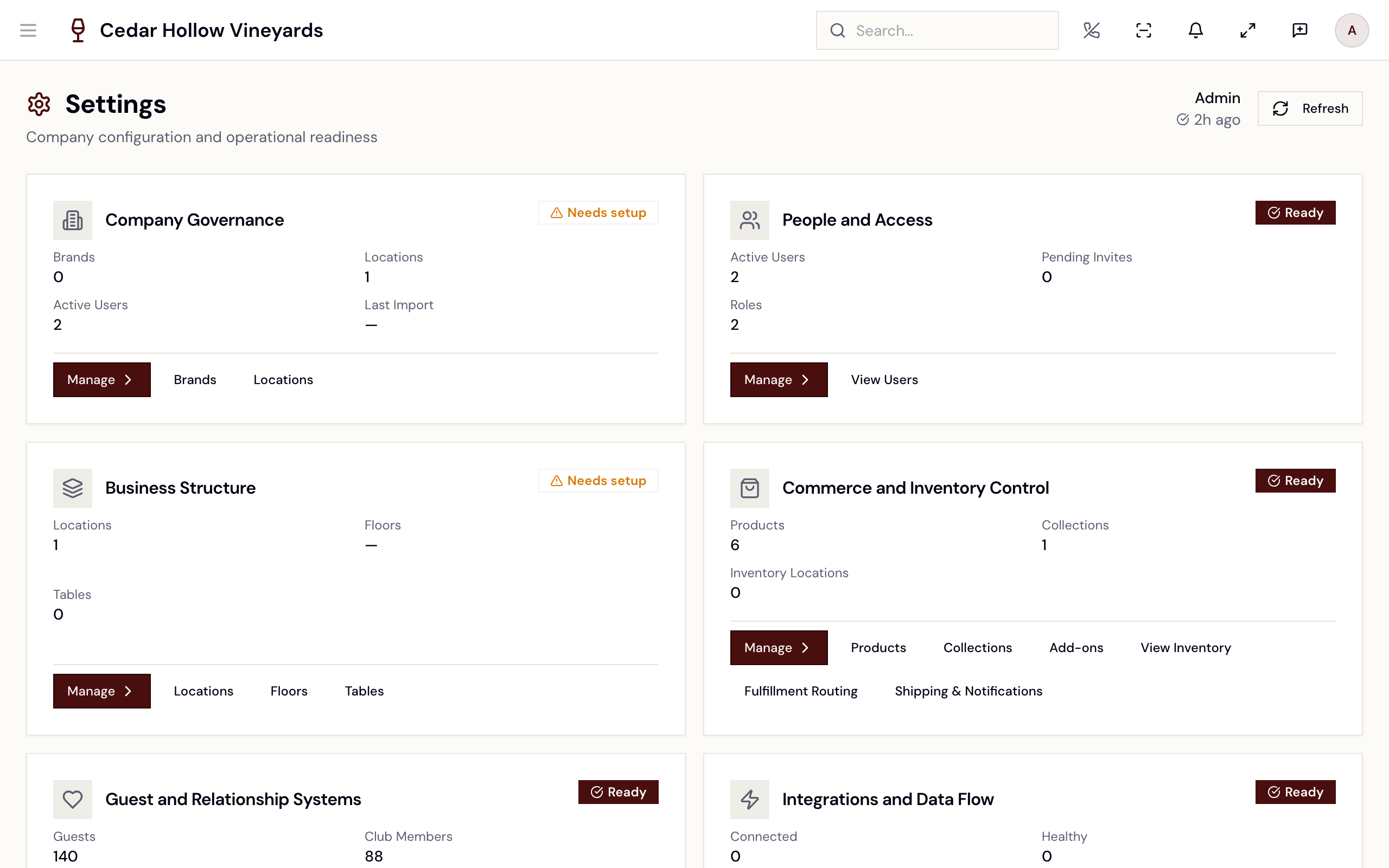
The Settings page.
This picture shows an earlier version of this screen. The steps on this page are current.
| Group | Rows |
|---|---|
| Your business | Setup, Company details, Brands, Locations, Policies, Goals and departments. |
| People and access | Team, Roles and permissions — see Invite your team. |
| Venue and devices | Printers, Floor plans, Card readers, Avero Companion iPads. |
| Selling | Catalogue, Storefront, Products, Collections, Add-ons, Domains, Club policy, Inventory, Fulfilment routing, Shipping, Wine club billing, Event settings. |
| Tax and compliance | Tax, Compliance reporting, Events ledger, Product profiles. |
| Guests and communications | Spend tiers, Messages, Emails and texts, Theme and branding. |
| Data and integrations | Integrations (see Integrations), AI Sommelier, Import data, Export data, Activity log. |
| Privacy and account | Privacy and data requests, Billing, Account (Admin only). |
When something needs fixing, a Needs your attention list appears above the groups. Each line is marked Needs you or Warning, says what is wrong, and links to the page that fixes it. The row it belongs to shows a count (for example 2 to fix), and so does its group in the list on the left.
Printers (/admin/printers — "Which printer is in trouble, what
to do, and where waiting tickets go.") lists every printer; choosing one
opens its own page, and Add printer starts a new one. Billing
opens /admin/billing, and Wine club billing opens the Dunning
Policy (/admin/settings/wine-club/dunning — "Tenant-wide rules for
retrying failed wine-club charges and sending dunning emails.", see
Releases & shipments). Event settings
(/admin/events/settings) holds the event refund policy and the
policies guests see on event pages — see Events.
Company Settings
/admin/company (Company Settings — "Manage corporate details,
brands, locations, and policies.") is where the company itself is
configured, across eight working tabs: Corporate, Brands,
Policies, E-Commerce, Guest Relations, Goals, AI
Knowledge Base, and Departments. A ninth tab, Locations, takes
you to the separate Locations page (below).
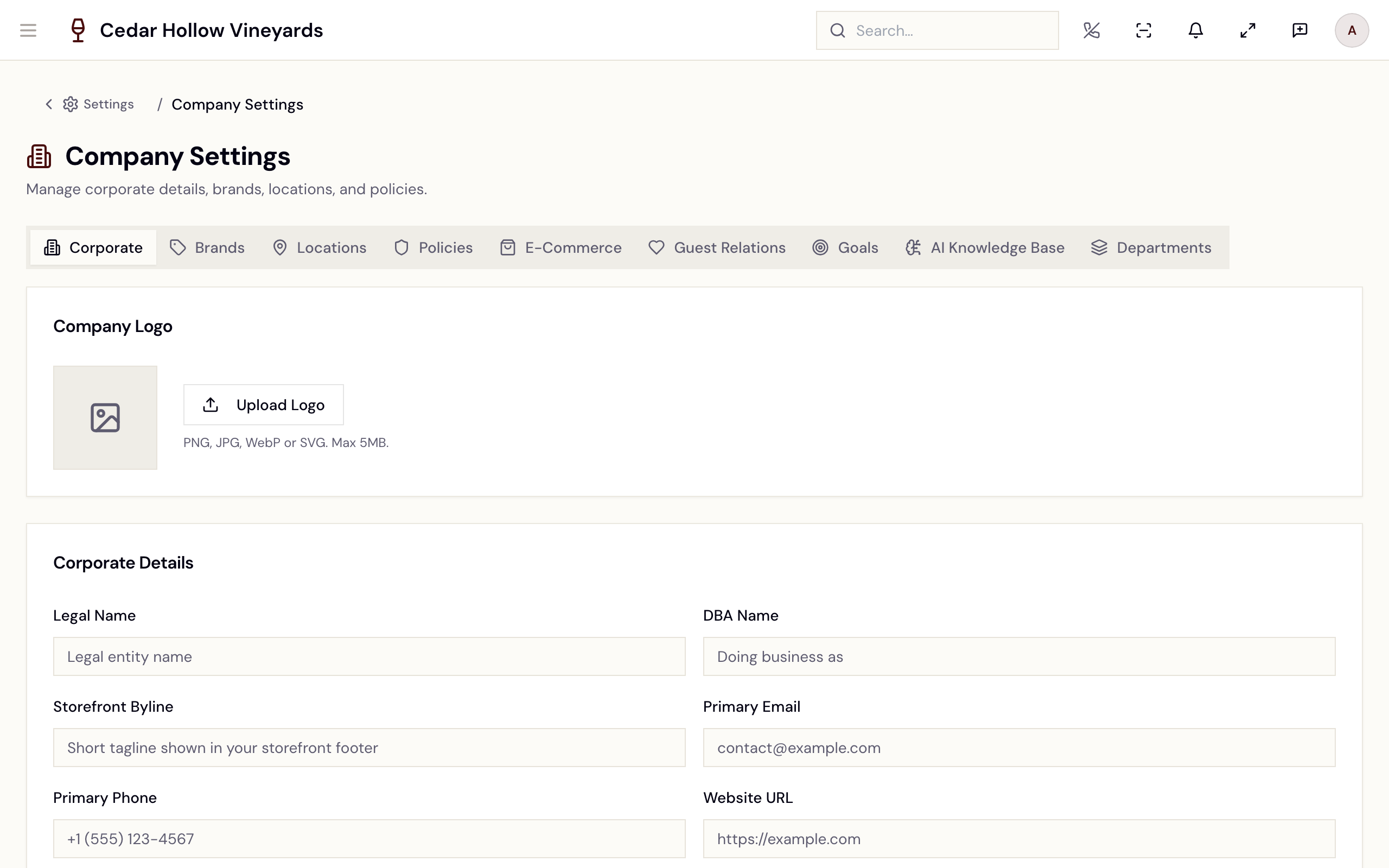
Company Settings — tabs from Corporate through Departments.
The tabs you'll touch most:
- Corporate — Company Logo, Corporate Details (legal name, DBA, Company Timezone, Tax ID / EIN, entity type), Corporate Address, Billing Contact, ID Verification & Alcohol Compliance (Enable ID Scanning, Require Manager Override on Major ID Mismatch, Require DOB for Alcohol Service, Minimum Drinking Age), and Incentives & Promotions. Save Changes confirms with "Settings saved".
- Brands — the public-facing display names, descriptions, and brand assets. A brand can also be transferred or archived from here — see Retiring or moving a brand below, because both carry more with them than the name suggests.
- Policies — four groups: Reservation Policy ("Cancellation windows, deposits, no-show handling, and party-size limits."), Payment Policy, Audit Policy, and Data Retention Policy. Saving confirms "Policies saved".
Locations
/admin/locations (Locations — "Every place you sell, ship from
or keep stock, and what each still needs.") lists your locations. Add
location opens a four-step page — Where it is, What it does,
Hours, Review. Choosing a location opens its own page with four
tabs:
- Overview — name, address, its own Time zone, Opening hours, and the Tax panel with that location's Sales tax rate. Locations carry their own time zone in addition to the company one — set both deliberately, since they drive reservation slots and reporting.
- Selling and fulfilment — what the location does: in-person selling, pickups, and shipping orders.
- Seating — the location's seating areas. See Seating areas.
- Devices — the printers and card readers at this location. See Printers.
The full walkthrough is in Locations.
Retiring or moving a brand
A brand is not just a label — locations, products, club members, domains and history hang off it. Both operations below walk you through what is attached before they do anything, and that review is the point of them.
Archiving a brand
Archive Brand retires a brand you have stopped trading under. Before it does anything it shows what is still attached: active club members, active storefront domains, assigned locations, and assigned products.
Read that list rather than clicking past it. Active club members and a live storefront domain are the two that cause trouble — a member whose club sits under an archived brand, or a domain still pointing at it, is a problem your customers find before you do.
You can leave a note explaining why, which is worth doing: whoever finds the archived brand in a year will not remember.
Transferring a brand
Transfer moves a brand to a different destination, and it takes its history with it — historical orders, reservations, guest communications, product associations, location associations, and the brand's own configuration and settings.
That breadth is the reason to check the destination twice. Transferring is not a rename; it relocates the record of everything that brand has ever done.
Tax & Compliance
/admin/tax (Tax & Compliance — "Sales tax collection, nexus
management, and filing readiness") is the TaxJar side of tax. You do not
need TaxJar to charge tax on in-person sales: each location has its own
Sales tax rate on its Tax panel (Settings → Locations), and a
location with a rate can sell. The /admin/tax page itself does need the
TaxJar integration: an
unconfigured page shows TaxJar Integration Required with a Set Up
TaxJar button (see Integrations); once
connected the banner reads "TaxJar is connected". The page banner also
carries the legal line: "Avero is a tax data tool, not a tax advisor.
You are responsible for your own compliance."
Six tabs: Overview (Total Tax Collected, Jurisdictions, Taxable Orders, upcoming liabilities), Nexus ("States where your company is registered to collect tax" — Sync with TaxJar, Add State, and the 50-state exposure map), Transactions (searchable, with Export CSV), Tax Codes (assign TaxJar product tax codes such as 40030 Wine), Reconciliation ("Compare orders in Avero with transactions posted to TaxJar"), and AutoFile.
When tax cannot be worked out
Avero would rather refuse a sale than ship it untaxed. If the tax for an order cannot be resolved — an address it cannot place, or a provider that is not registered for that jurisdiction — the sale is refused at the point of purchase rather than going through with zero tax that you would have to account for later.
Two specific cases behind that, both worth knowing:
- A provider returning zero is not the same as no tax being due. If the provider answers zero because it is not registered somewhere, Avero treats that as an unanswered question, not as a tax-free sale.
- A location genuinely in a no-sales-tax jurisdiction can say so. Enter
a rate of
0on the location and it is kept as a deliberate answer.
When you refund an order, the tax portion is reported back to the provider, so refunded tax stops counting as collected in your filing figures. How much of a refund was tax is recorded on the refund itself.
The AutoFile tab currently shows AutoFile Coming Soon with a disabled Enroll in AutoFile button and a Not Enrolled badge. Filings remain manual — see Reports.
The Audit Log
/admin/audit (the Activity log row in Settings; the page is
titled Audit Log — "Browse and export sensitive-action
audit events for your company.") lists every sensitive action: when,
action, entity, user, and correlation ID, with each row expanding into a
Diff (before → after) table plus IP and request metadata. Filter by
date range, Action, Entity Type, entity or user ID; Export
CSV downloads the filtered set. Empty filters read "No audit entries
match your filters."
Billing, account, and your own profile
/admin/billing(Billing & Subscription — "Manage your subscription plan and billing") shows your Current Plan with its monthly price, Plan Features, add-ons, and a Change Plan flow with proration preview. Avero's tiers are Starter, Professional, Growth, Estate, and Enterprise; plans and prices come from the live catalog on this page./admin/account(Account Settings — "Manage your account, export your data, or request account closure.") is the Admin-only ownership, data-export, and closure surface./settings/profile(My Profile) is every staff member's own page — photo, personal info, Change Password, SMS Password Reset, and the Device Sign-In PIN — see Invite your team.
Reference
| Control | Where | What it does |
|---|---|---|
| Search settings | Top of Settings | Filters the rows; Enter opens the first match. |
| Add location | Locations | Starts the four-step page for a new location. |
| Sales tax rate | Locations → a location → Tax | Sets the rate charged on in-person sales there. |
| Save Changes | Company → Corporate | Saves corporate identity and compliance switches. |
| Enable ID Scanning | Company → Corporate | Turns on the ID scan wizard in guest intake. |
| Sync with TaxJar | Tax → Nexus | Pulls registered nexus states from TaxJar. |
| Export CSV | Audit Log / Tax → Transactions | Downloads the filtered events or transactions. |
| Change Plan | Billing & Subscription | Switches subscription tier with a proration preview. |
Troubleshooting
- "You don't have access to Settings" — the page needs
settings.read(Manager/Admin). - A row you expect is missing — rows only show for roles that can open them. Compare roles in the Role Guide.
- A search finds nothing — the page says "Nothing matches" your words; try another word, or use the search at the top of the app.
- A "to fix" count won't clear — open the linked page and fix what the Needs your attention line describes; the list is rechecked each time you open Settings.
- Everything on Company Settings is disabled — you have
company.readbut notcompany.update; note the Read Only badge in the header. - "TaxJar Integration Required" on the tax page — run the TaxJar setup wizard from Integrations.
- "No audit entries match your filters." — widen the date range or clear the action/entity filters.
Related
- Invite your team — team, roles, and PINs.
- Integrations — the connections behind the Integrations row.
- Reports & KPIs — compliance filings that depend on a complete Corporate tab.
- Onboarding — the setup wizard that seeds most of these settings.